
OpenPlanning: Software for Small Towns
A developer's attorney emails the town planner: "Can you confirm the conditions imposed on the Project in the 2024 Planning Commission approval?"
The planner now has to find the right meeting packet, scan the minutes, cross-reference the staff report, and hope nothing was modified in a subsequent meeting. This is a 30-minute task for a question that should take 30 seconds.
This is what running a planning department on PDFs looks like.
OpenPlanning is software for small-town planning departments. It turns the PDFs, meeting agendas, and scattered case files that most planners run their department on into a structured, searchable record of every project, property, and decision.
Why this matters
Most small towns we talk to run their planning department the same way: a folder of PDFs on a shared drive, a Document Center page on the town website, and the institutional memory of one or two long-tenured staff. Every question about a property's history is a search through unsearchable artifacts. Every condition imposed on a past approval is a sentence buried in 200 pages of minutes. Every cross-reference is a human doing it by hand.
The records are public. They're just not usable. Staff spend their days re-deriving what should already be a query. Citizens, applicants, and attorneys spend their days asking staff to do it for them. None of this is anyone's fault. The records were never structured in the first place.
How it works today
A typical case lives in pieces:
- The agenda is a 200-page PDF posted to a Document Center, with links to staff reports that have file numbers nobody outside the department recognizes.
- The staff report is its own PDF, sometimes linked from the agenda, sometimes not.
- The conditions imposed on an approval are sentences in the meeting minutes, ratified by motion, not stored anywhere queryable.
- The history of a parcel lives across years of meetings, none of which cross-reference each other.
Anyone reconstructing this picture, staff included, is doing it by hand.
What we're doing
OpenPlanning ingests the PDFs the town already publishes and pulls them apart into structured records. Applications, parcels, meetings, decisions, conditions, and the documents that produced them all become first-class things with links between them. Then we put a search box and a set of detail pages on top.
Follow a project with a full timeline
See every application from intake through final decision, with all documents, conditions, and prior actions in one place.
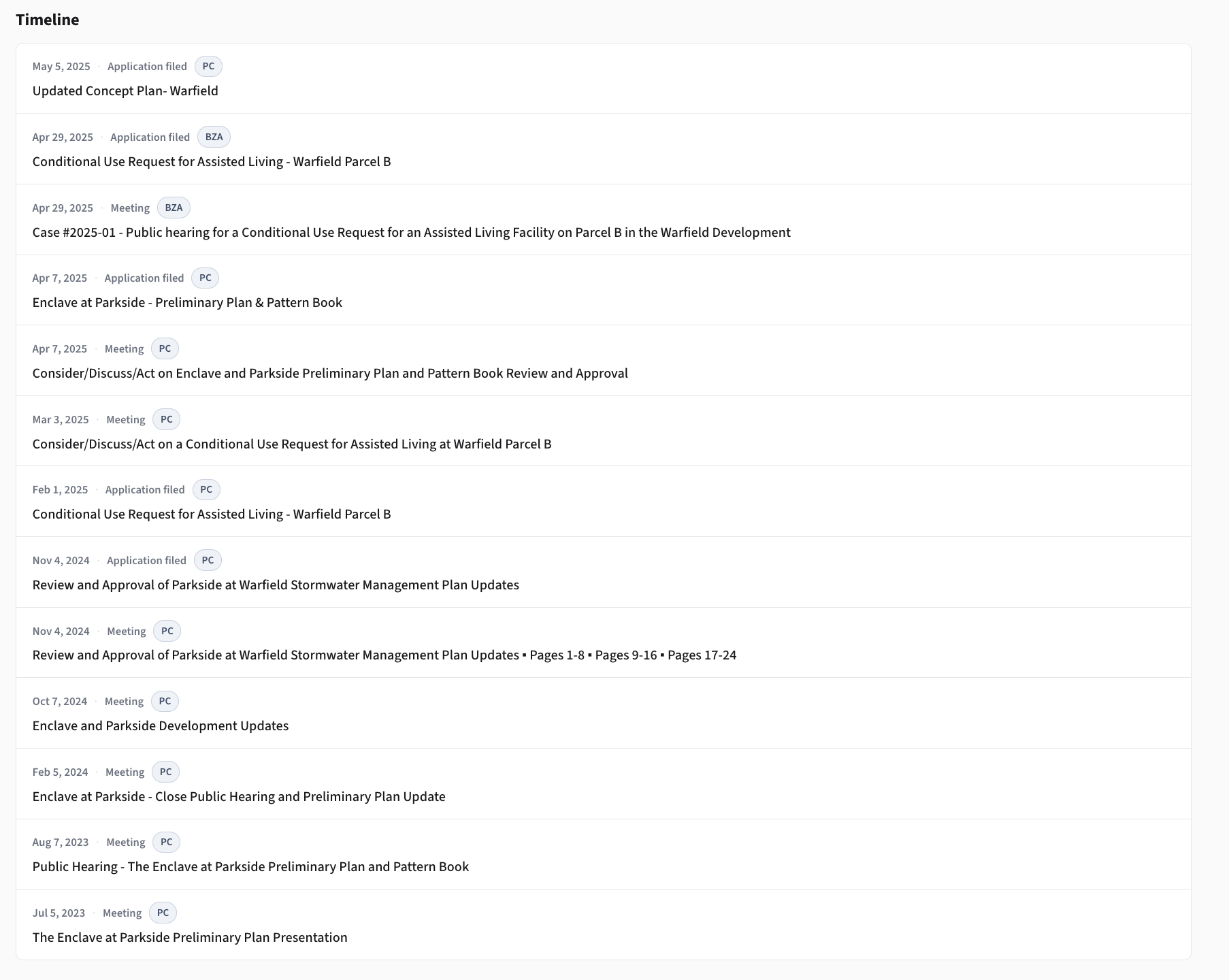
The project page is the single thread for a development: when it was filed, what was reviewed at which meeting, what was decided, what conditions were imposed, and which documents informed each step.
Understand the process
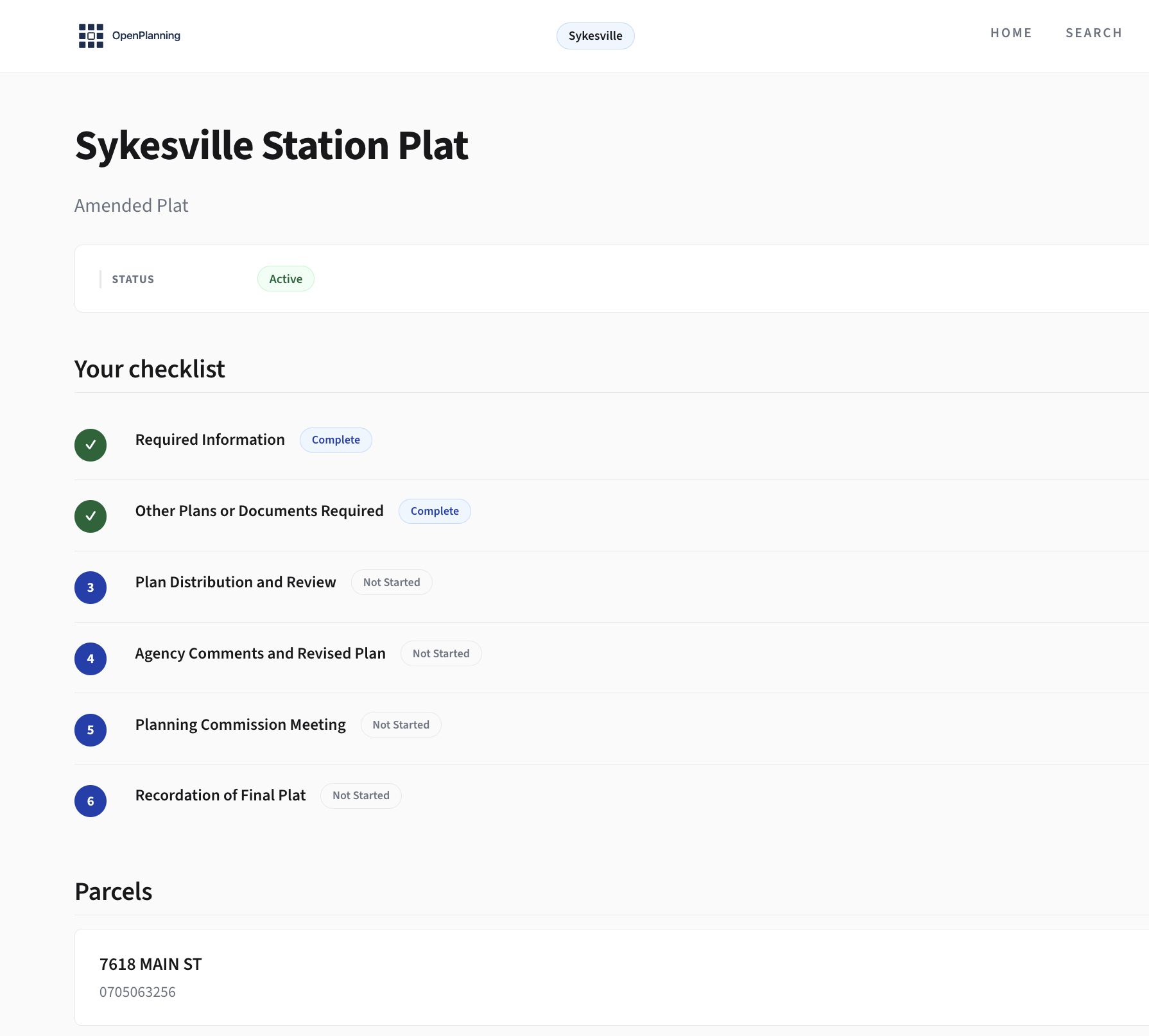
Every application moves through an explicit process. Staff and citizens can see what step the case is on, what comes next, and who acts at each step.
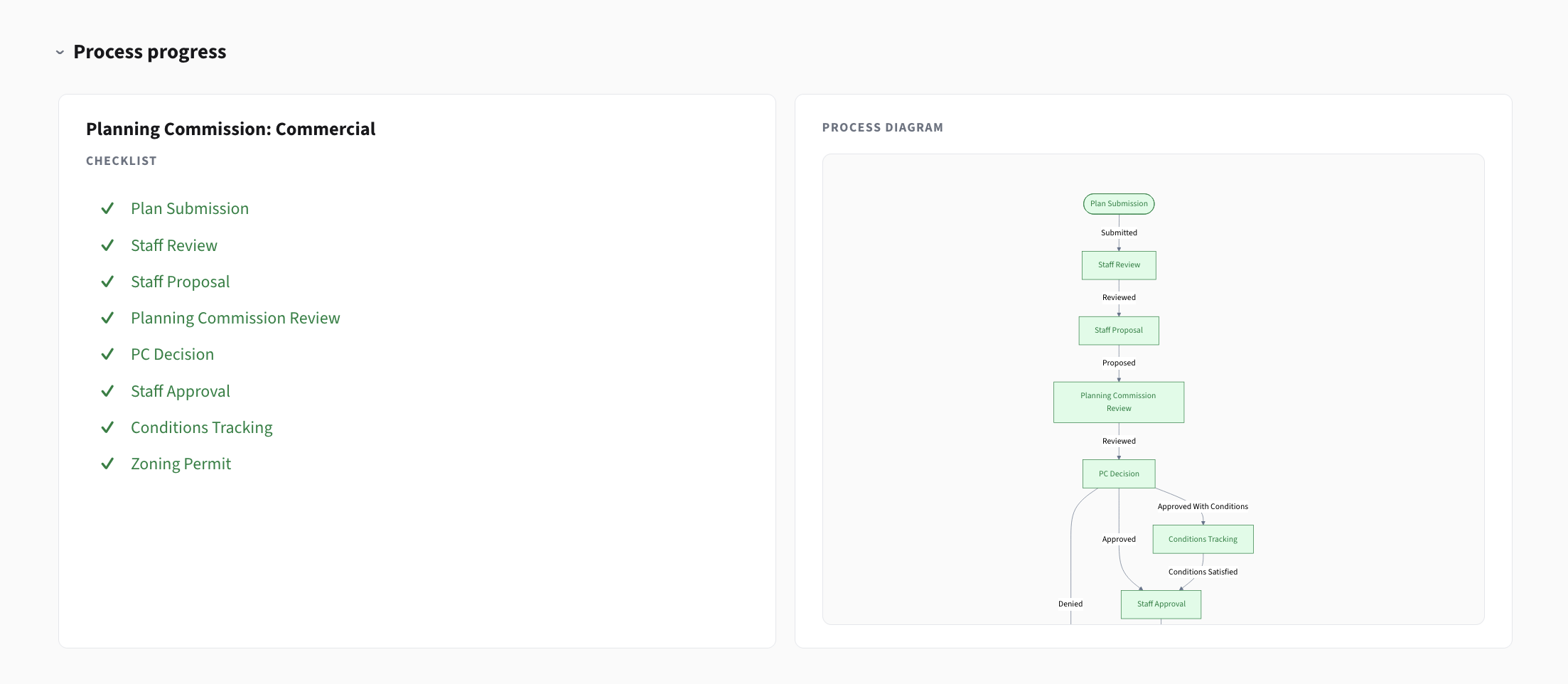
This is the part planners explain over the phone a hundred times a year. Now it's on the page.
Look up any property
Pull up any parcel and see its complete planning history. Past applications, current conditions, zoning context.
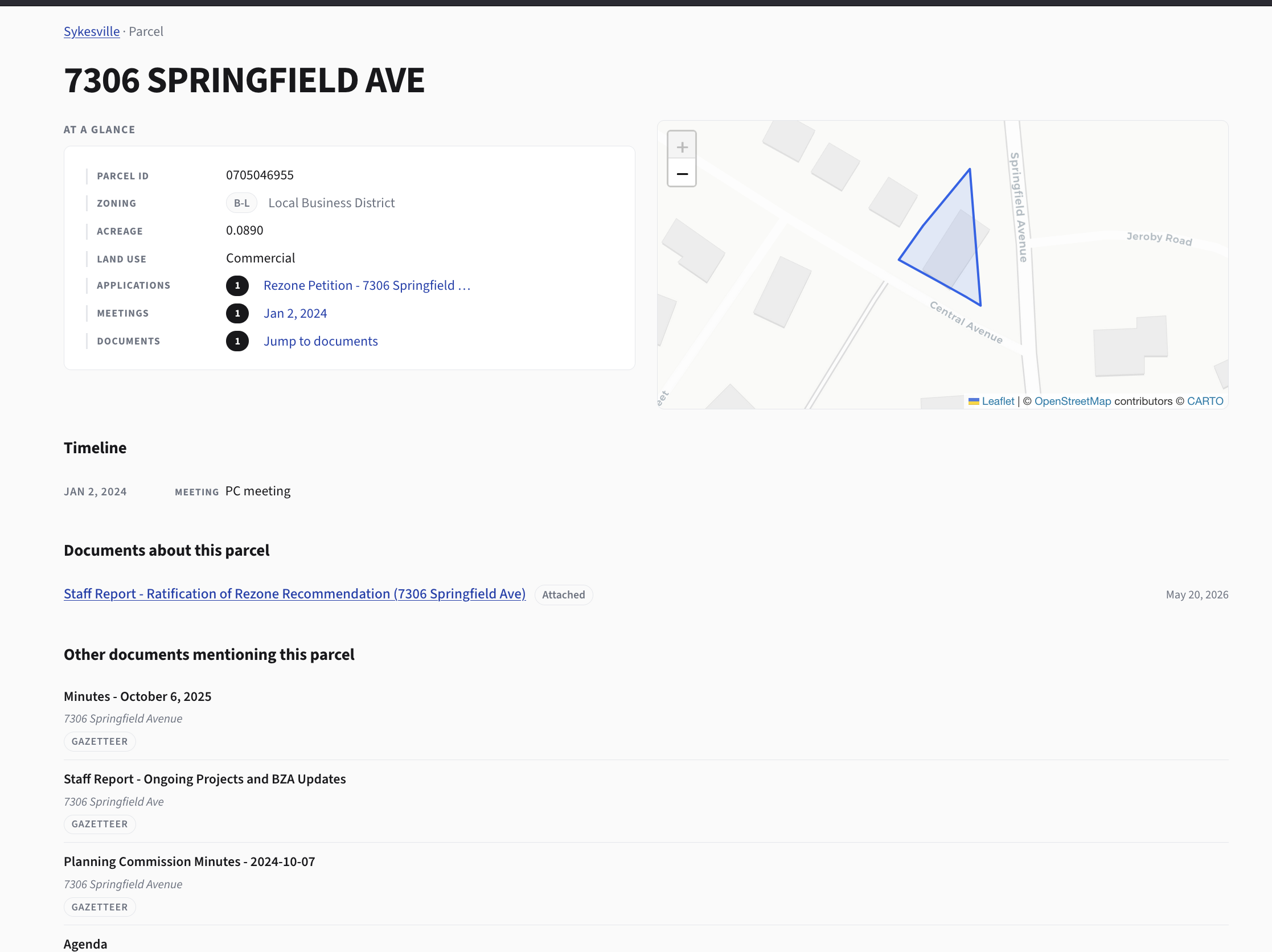
When the attorney emails, the planner types the address and the answer is on screen.
Decisions and conditions
Every condition imposed on an approval lives as its own record, linked to the application that produced it and the meeting that ratified it. No more grep-through-minutes.
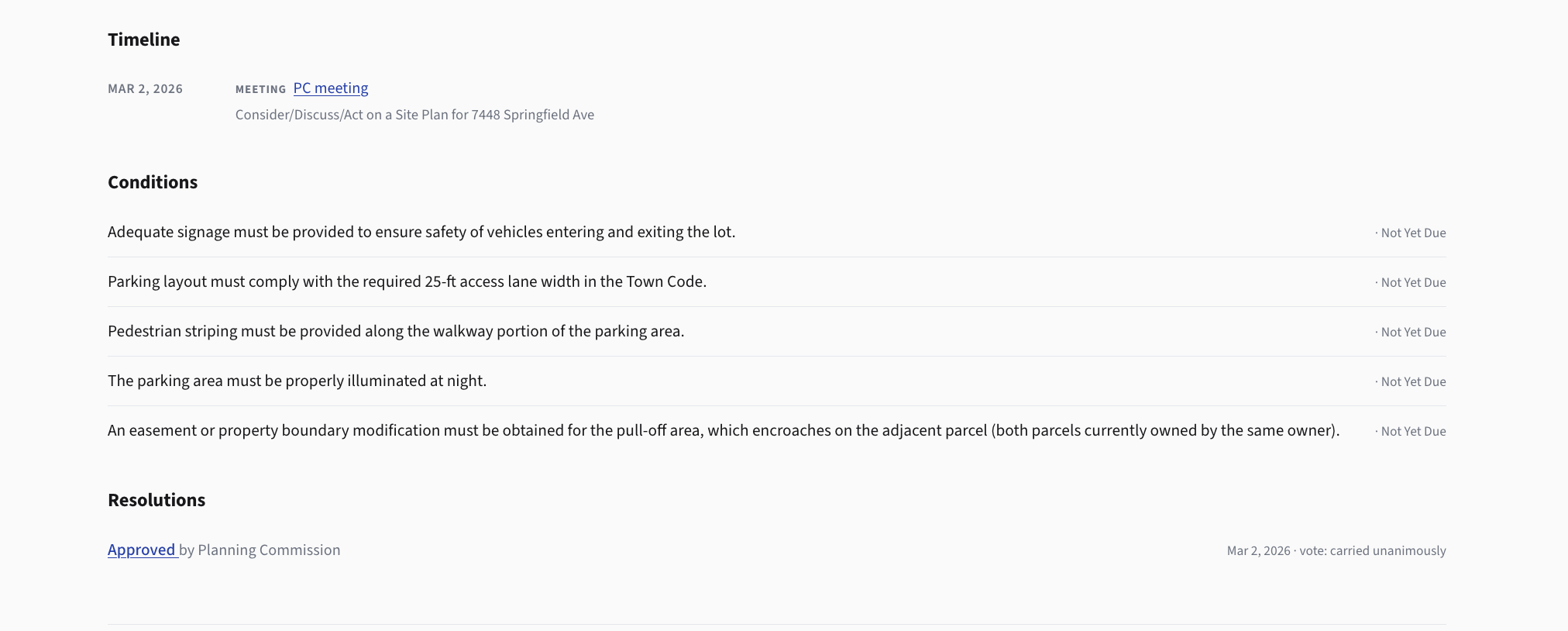
When the same condition shows up on a new project, staff can see what the board decided last time and why.
Check out any meeting
Every meeting's agenda items are linked to the underlying applications, so context travels with the case.
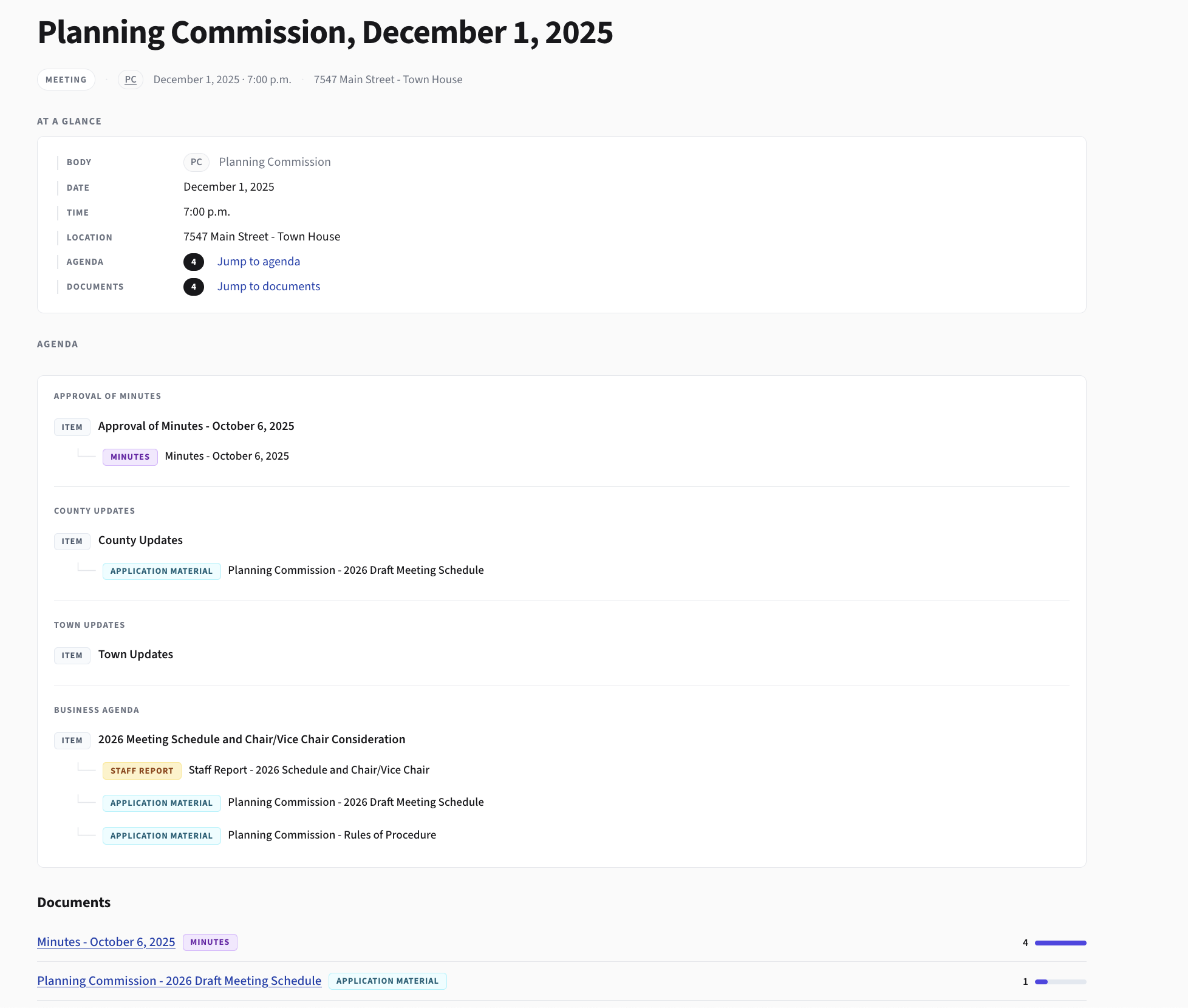
The board can prep for a hearing by clicking through the actual cases they're voting on, not by reading 200 pages of cover sheet.
Matters: organize applications and share status
A development rarely arrives as one application. Subdivision, annexation, site plan, special exception, and amendments all show up under the same project, often months apart, often from the same applicant or attorney.
Matters group related applications into a single thread so staff and the applicant can share the same view of where the project stands. The applicant sees what the town has received, what's outstanding, and what step each piece is on. The town sees the full arc of the development, not one application at a time.
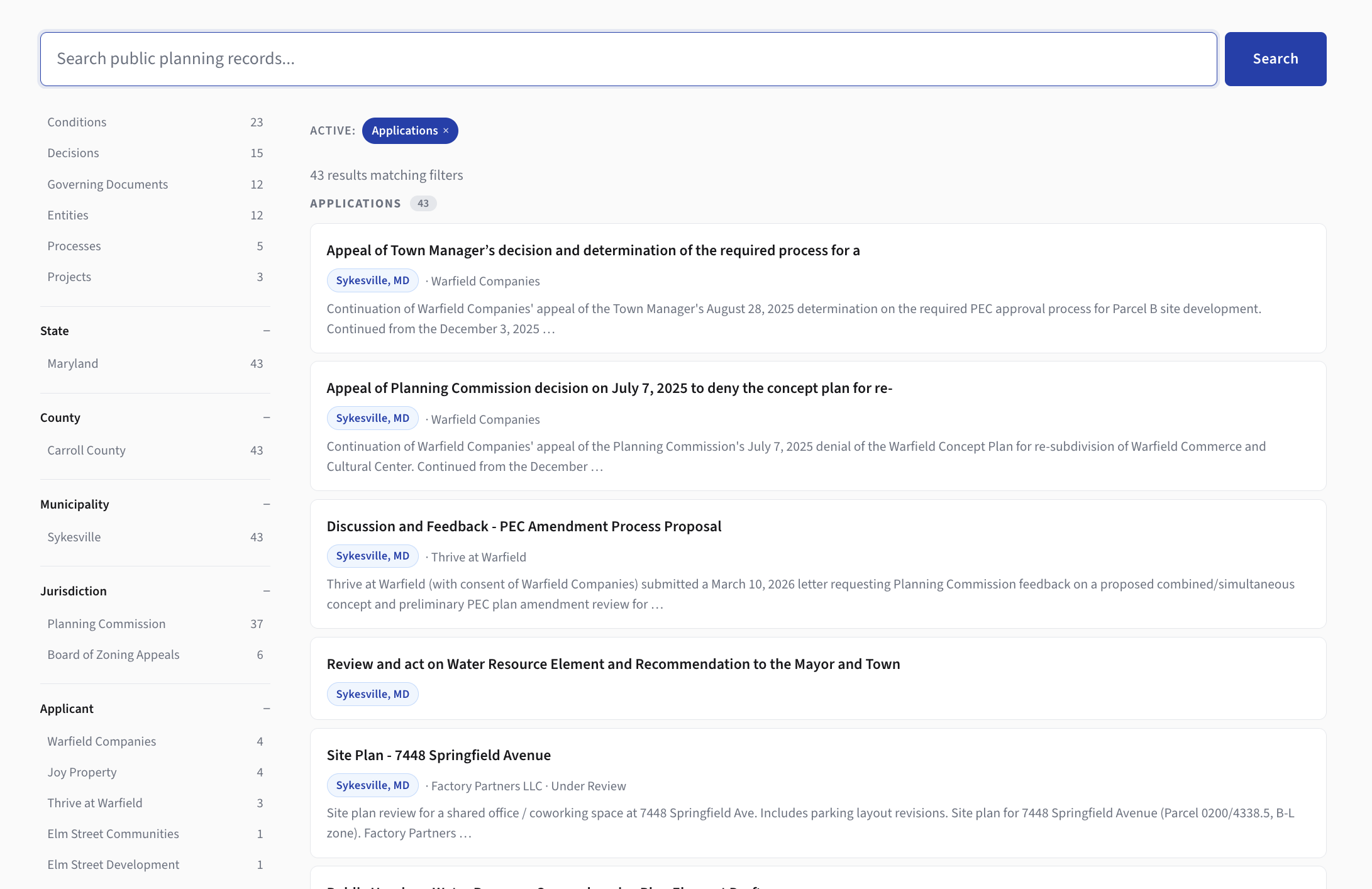
Search across all of it
One search box across applications, parcels, meetings, and documents. Type a street name, get the planning history. Type a file number, get the case. Type an applicant name, get every project they've touched in the jurisdiction.
What's next
A few things on the immediate roadmap:
- A Word add-in for staff reports. Draft a staff report against the structured record. Insert the application summary, the parcel citation, the prior conditions, all from the live record. Then, eventually, sync changes back.
- Verified Gov. A tier where the municipality stamps the record as the official version, so citizens and attorneys can rely on it without calling the town to confirm.
- More towns. The platform is built so adding a new municipality is a configuration step, not a custom build. We're working through that on the second and third towns now.
We're looking for early municipal partners
If you run a small planning department, or sit on a planning commission in a town that does, we want to talk. We're a good fit for jurisdictions with one to five planning staff who are currently running the department on PDFs, email, and the Document Center page. We do the ingest, we run the platform, your staff stay focused on the work that needs them.
Email us at [email protected].